The February post was about giving an agent one capabilities file. The next annoyance was the opposite problem. Sometimes I did not want an agent at all. I wanted to call one tool, see the output, and get on with it.
That is capa sh. It shipped in CAPA 1.2 on March 12.
The problem
An MCP tool is awkward to try by hand. You start a client, wait for it to connect, hope the model picks the right tool, and then read the result out of a chat. If the call fails, you are debugging the model and the tool at the same time.
I wanted the tool, without the model.
One command
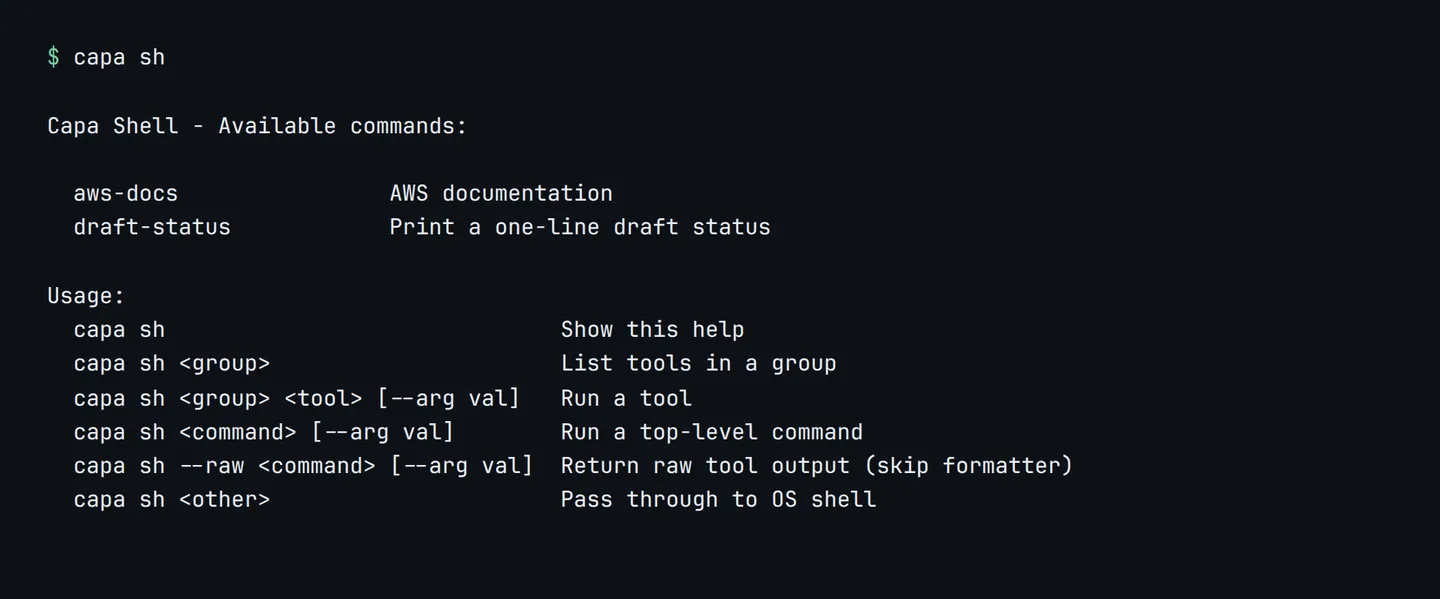
capa sh lists every tool the project configured, and runs one of them. MCP tools sit under their server id. Command tools sit at the top level. The server has to be running, which capa install already did.
In a small demo project the list looks like this:
draft-status is a command tool. The {title} placeholder becomes a flag:
tools:
  - id: draft-status
    description: Print a one-line draft status
    type: command
    def:
      run:
        cmd: 'echo "brief: {title}"'
        args:
          - name: title
            type: string
            description: Working title of the brief
            required: true
Running it does not involve a model:

capa sh draft-status --title "Q3 launch brief"
# brief: Q3 launch brief
capa sh draft-status --help prints the parameters, so you do not have to open the YAML to remember the flag.
MCP tools, same interface
Remote MCP tools use the same shape. This project exposes one tool from the public AWS documentation server. capa sh aws-docs lists it, and capa sh aws-docs <tool> --help shows the arguments.
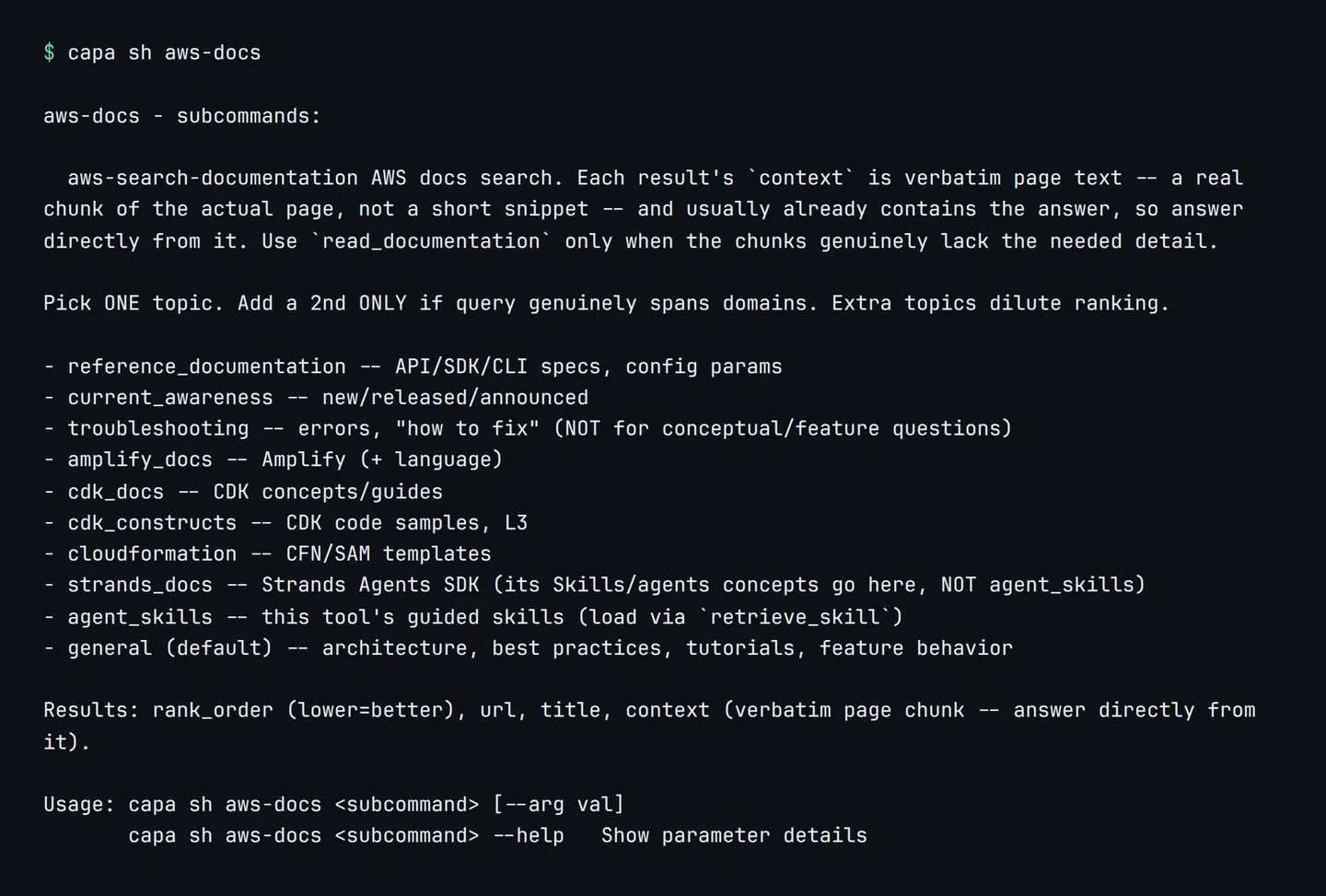
Add --raw when you want the tool’s own output and not CAPA’s formatted view:
capa sh --raw aws-docs aws-search-documentation --query "S3 presigned URL expiration"Anything capa sh does not recognize is passed through to the shell, so capa sh git status still works.
Why I reach for it
- Check a tool before an agent does. If the command fails in the terminal, it will fail in the chat too.
- Skip the model for a lookup. Documentation search, a status line, a query you already know.
- Same definition. The tool the agent calls and the command you run are the same entry in
capabilities.yaml.
The agent is still the right tool when the task is fuzzy. When the task is “run this”, the shell is faster.
capa sh has been in CAPA since 1.2. The screenshots are from 2.2.4, which is what capa upgrade installs today.