An agent can draw an architecture in a few seconds. Then the chat ends, and the diagram is gone. It is not in the repo. It is not in a place a teammate can comment on. The person who was not in the thread cannot open it.
ShareCube is where that file goes. OfficeKit is what writes it. CAPA is what tells the agent it is allowed to use either of them.
Three jobs, three tools
They are not one product. Splitting them is the point.
- OfficeKit writes the deliverable. A document is one self-contained HTML file: styles, brand tokens, and marks inlined, so it opens from disk and prints to PDF. I built it separately from Infragate. The repo is Minitour/office-kit.
- CAPA is the allow-list and the installer. Skills, the ShareCube server, and the sub-agent that is not allowed to publish all live in
capabilities.yaml. - ShareCube stores the HTML or Markdown in a project, gives it a URL, and is where a human comments. Agents publish over MCP, then hand back
console_url.
The file OfficeKit actually writes
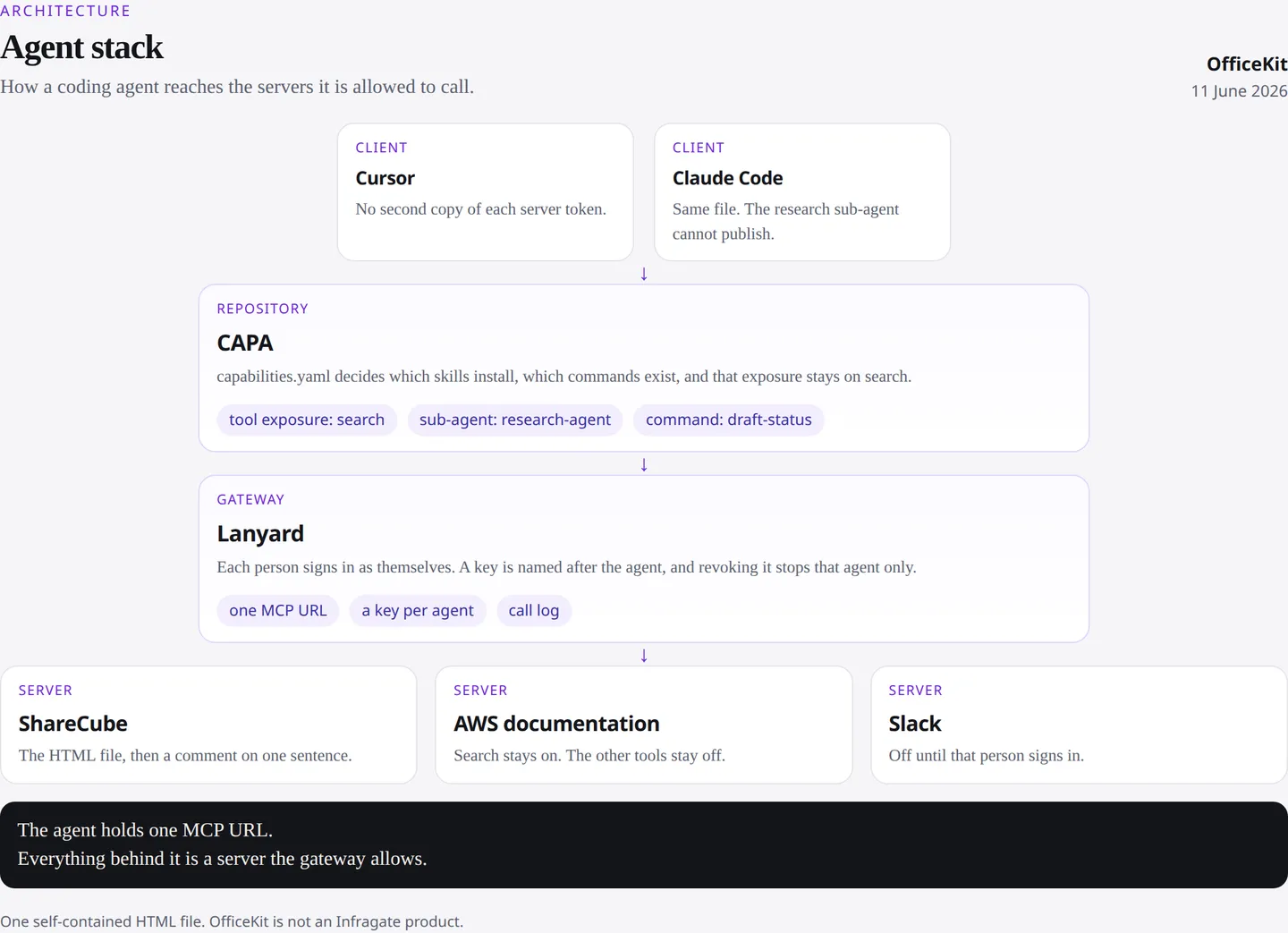
This one is an architecture diagram, not a memo. Clients on top, CAPA under them, Lanyard as the single gateway, and the three servers that gateway is allowed to reach: ShareCube, AWS documentation, and Slack. OfficeKit writes that as one self-contained HTML file, styles inlined, so it opens from disk and prints to PDF.
Decks and video are a longer loop, with a preview and an audit. A document is deliberately one pass. The agent writes the file, checks that it stands alone, and hands it over.
Pointing the agent at ShareCube
OfficeKit’s own capabilities.yaml already installs its skills through CAPA. ShareCube is one more server. Sign-in is the default, so the YAML has a URL and no secret:
servers:
  - id: sharecube
    type: mcp
    def:
      url: https://app.sharecube.io/mcp
capa install prompts in the browser the first time. For CI, create a key under Settings, Integrations, and pass it as a header with a ${ShareCubeKey} placeholder. Do not commit the key. The endpoint and the client snippets are in the ShareCube MCP guide.
The tools an agent needs for this loop are short: list_projects, create_artifact, and then stop. create_artifact returns console_url. That URL is the handoff. The chat is done.
What the human does next
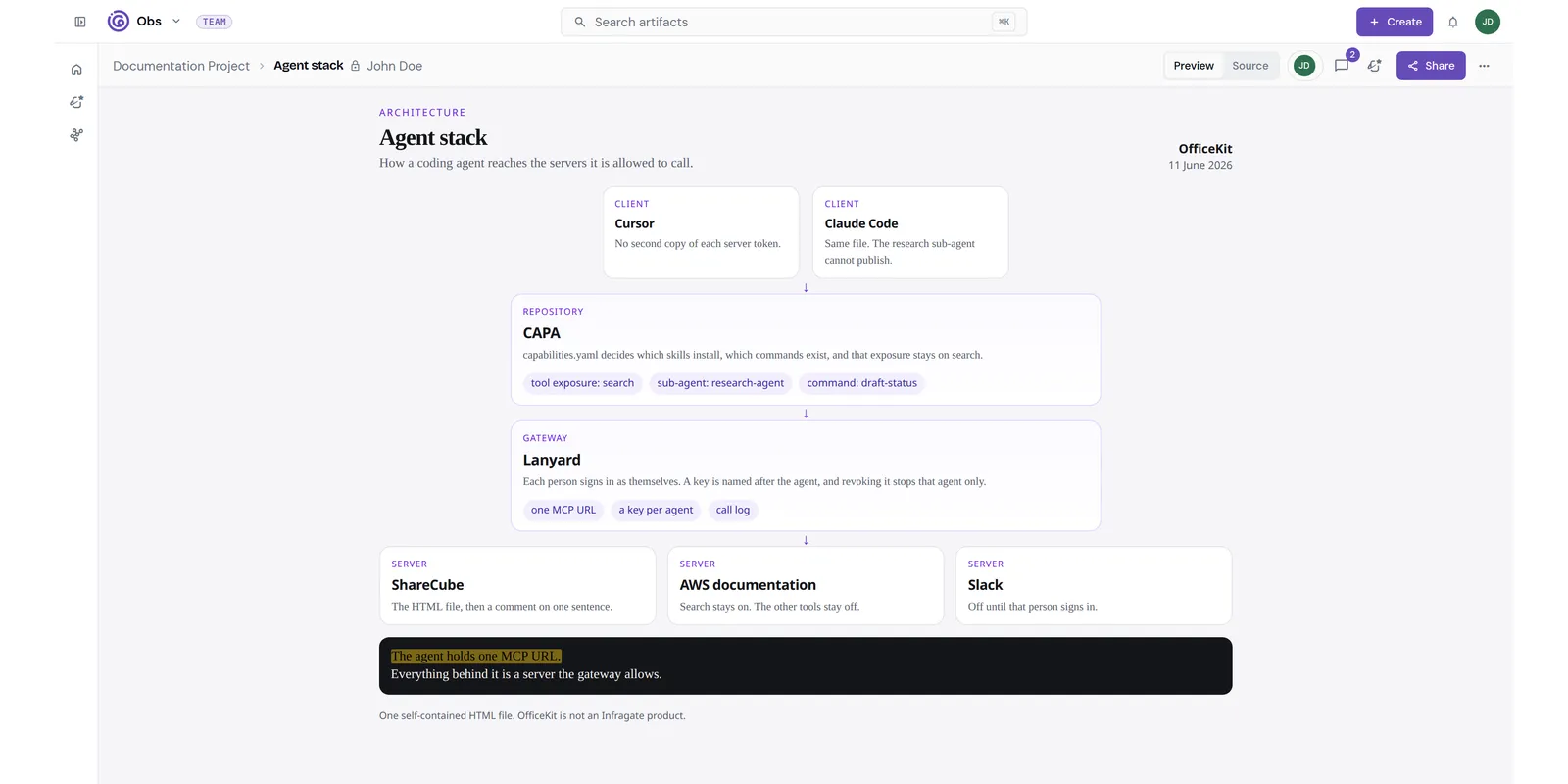
Open the console link. The artifact is the HTML file, with version history. Share it as private, with the org, or with a public link, up to the ceiling an admin set. This one is that diagram, private to the project. The review sentence is the line under the servers. The next post is the comment that sits on that sentence, instead of on the chat.
OfficeKit is mine, and it is not an Infragate product. ShareCube is. CAPA is the piece that installs both into the agent.