I can ask an agent to draft a brief. What I cannot do, from the chat alone, is answer the questions I have afterwards. Which files did it open. Did it stay inside the research agent. Did it call the documentation tool, or did it invent the answer. The transcript is a story the model tells. The trace is the calls that happened.
CAPA 2.0, on August 3, records those calls. This post is about reading them.
Turn it on
Activity follows the providers you installed. capa install writes the hooks that report session start, the prompt, shell commands, file edits, MCP calls, sub-agent start and stop, and the end of the turn. In the capabilities file:
options:
  agentActivity: true
The console for a project has the same switch. The feed is on the project, at http://127.0.0.1:5912, under Activity. Nothing leaves the machine. The rows are in the local CAPA database.
One run, read from the top
I pointed a demo project at a short task: draft a one-page brief, leave it as brief.md, do not publish it. The run opens on the prompt, which is the right first check. If the prompt in the trace is not the prompt you sent, you are looking at a different turn.
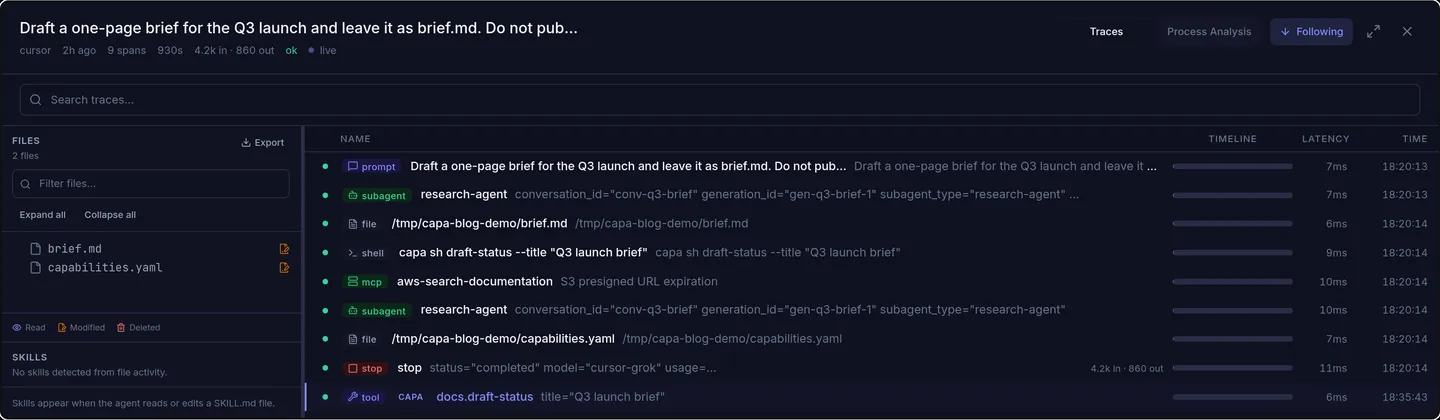
Under the prompt, the run is a list of spans. For this one:
- research-agent started and later stopped. The delegation happened. The instructions on that agent say it does not publish, so the next thing I look for is a publish call. There is not one.
- brief.md and capabilities.yaml show up as file spans. Those are the writes. If a file I care about is missing, the agent did not touch it, whatever the chat claimed.
- A shell span is the exact command:
capa sh draft-status --title "Q3 launch brief". That is the same command from the March post oncapa sh, now visible as something the agent chose to run. - aws-search-documentation is an MCP call, with the query it sent. This is the difference between “it said it looked at the docs” and “it called the docs tool with this string.”
The process diagram is the same run drawn as a path. Prompt, shell, then the documentation call:
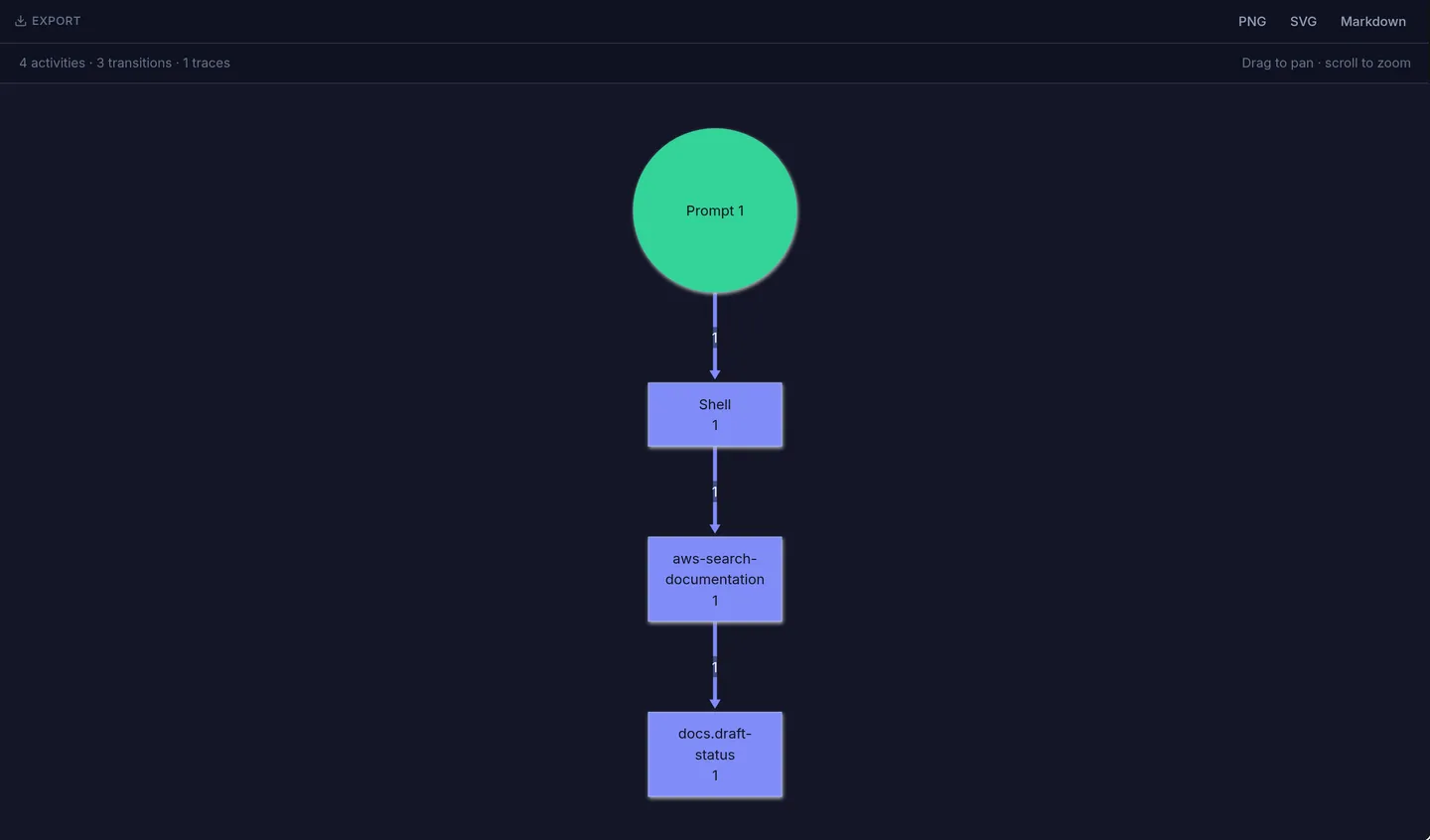
I use the diagram when I want the shape, and the timeline when I want the arguments. A failed span stays in the list with an error, which is usually more useful than the model’s summary of the failure.
What I use it for
- Did it stay in bounds. Sub-agent started, publish tool never called, only the two files changed.
- What it ran. The shell text is the command, not a paraphrase.
- What it asked a remote tool. The MCP span has the tool name and the arguments.
- Where the tokens went. The stop span can carry input and output counts for the turn, which is the first place I look when a short task was expensive.
It is not a substitute for reading the diff. It is how I decide which diff to open, and whether the agent did the detour it did not mention.
Activity traces shipped in CAPA 2.0. The run above was recorded on 2.2.4, with agentActivity on, in a local demo project.