CAPA solves “which tools does this repo install.” It does not solve “whose Jira token is on this laptop.” Every agent copy of a config tends to grow its own copy of every secret. Rotating one leaked token means finding every machine. Giving someone a tool they should not have means editing a file nobody rereads.
Lanyard is the gateway in front of that.
One URL
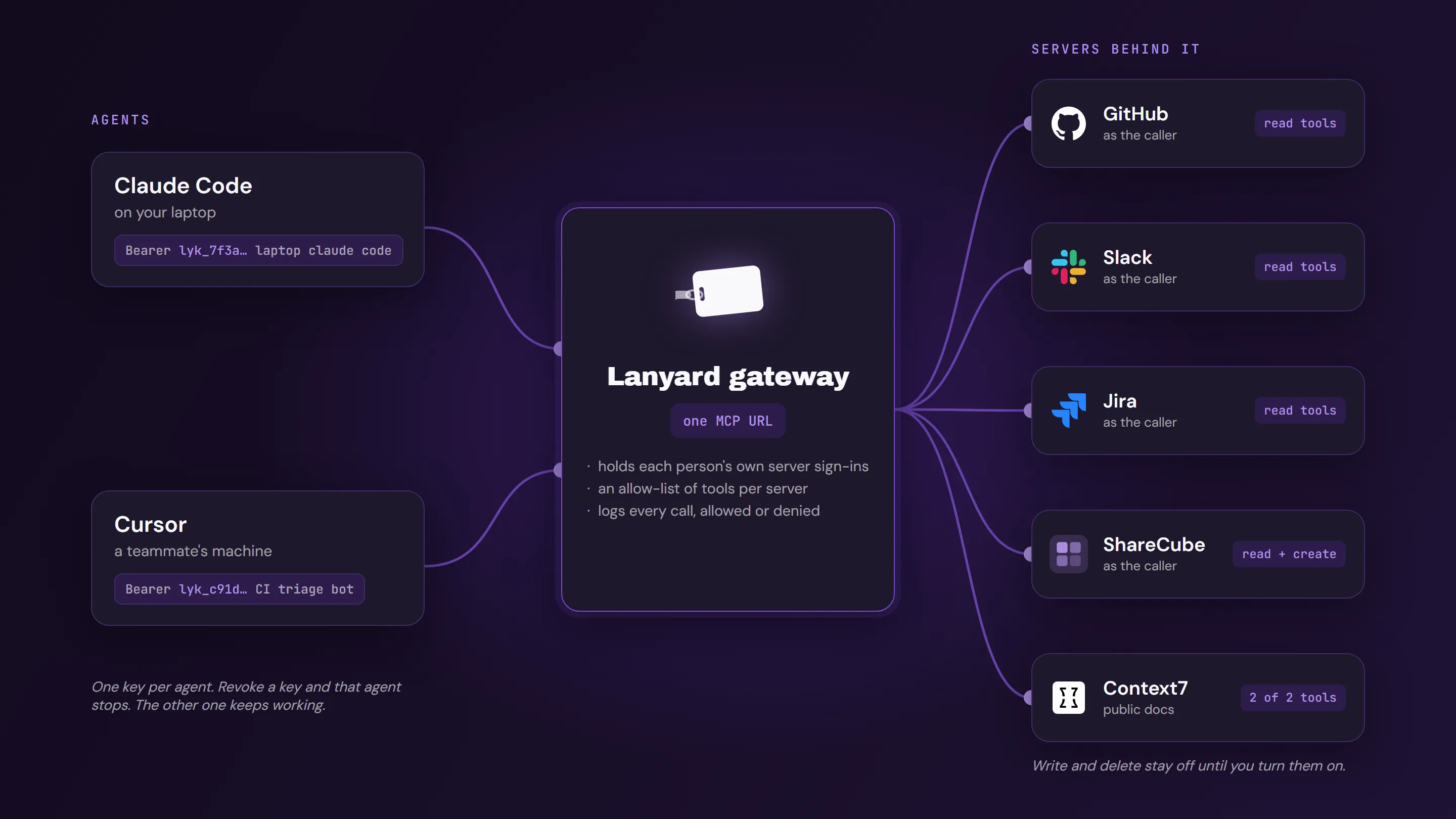
A gateway is one MCP URL. Behind it you add servers, from a catalog or by pasting a remote endpoint, and you tick the tools agents may call. A server can offer dozens of tools. The agent sees the ones you left on. Write and delete stay off until you opt in. Read-only is the starting set.
The console is lanyard.infragate.ai. The guide is the Lanyard docs. The shape of it is this: agents on the left, each with its own key, one gateway in the middle, and the servers behind it, each reached as whoever holds the key.
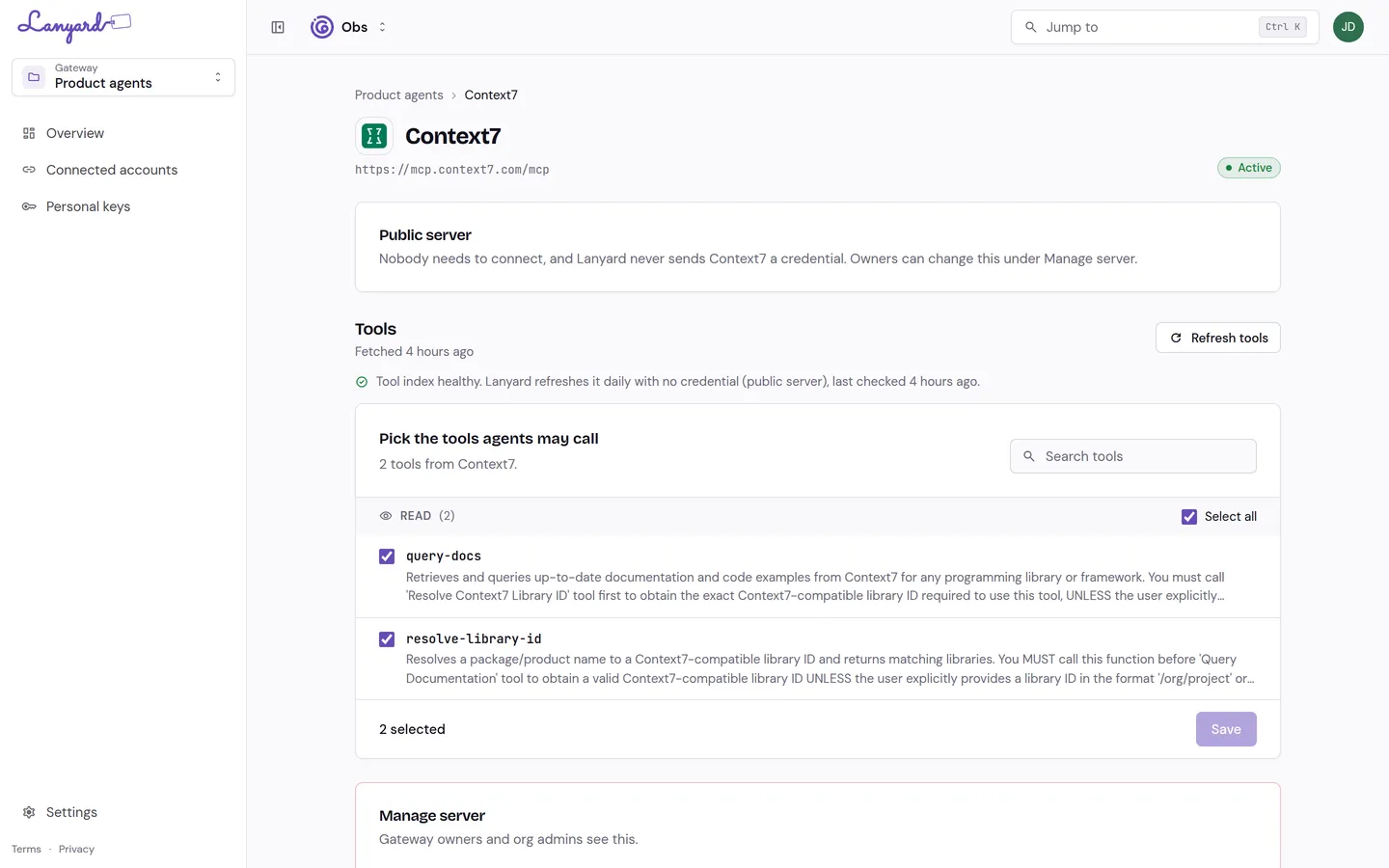
On a server, the list is the allow-list. A public documentation server can expose only read tools, and you leave those on.
People sign in to each server as themselves. Lanyard holds the token. The agent never sees it. Two people on the same gateway call Jira as themselves, with their own permissions. A gateway is private until you share it, and an admin decides which server hosts are allowed at all.
A key per agent
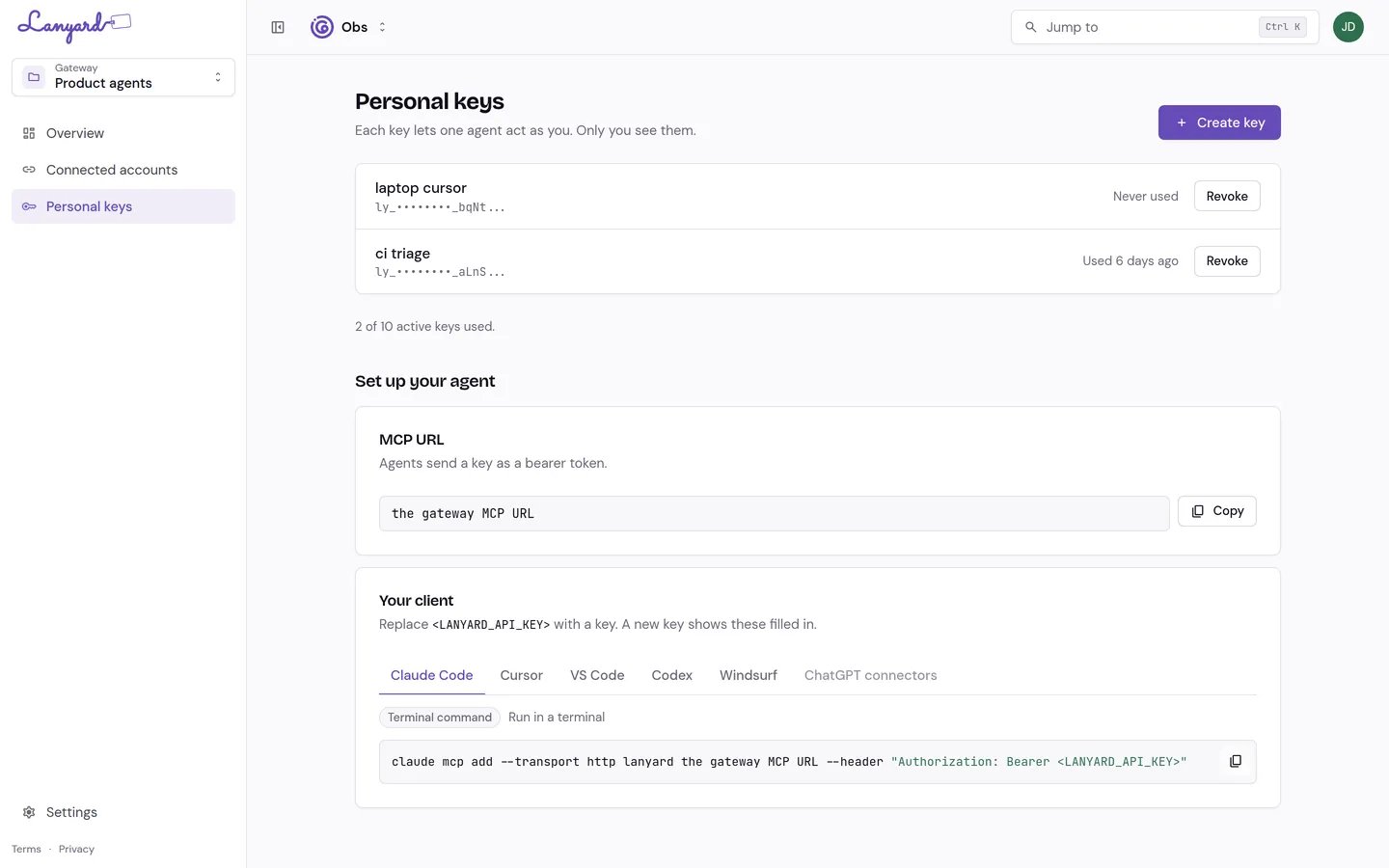
You mint a key and name it after the agent, not after yourself: “laptop claude code”, “CI triage bot”. The secret is shown once. Lanyard keeps a prefix and a hash, so it cannot be read back later.
Revoking that key stops that agent. It does not touch the other keys, and it does not unplug the gateway. Losing access to the gateway, or leaving the org, revokes the keys that depended on it.
The client config is the gateway URL plus the key as a bearer token. The console fills the URL in. <LANYARD_API_KEY> is the only part you replace. A key on the keys page is a name, a prefix, and a revoke button. The secret is not shown again.
{
  "mcpServers": {
    "lanyard": {
      "url": "<the gateway MCP URL>",
      "headers": {
        "Authorization": "Bearer <LANYARD_API_KEY>"
      }
    }
  }
}
Snippets exist for Claude Code, Cursor, VS Code, Codex, Windsurf, and ChatGPT connectors. Copy, paste, restart the client. Its tool list is whatever this gateway allows.
What the agent hears when it cannot
A refusal comes back as a sentence, not a bare status code:
- The key is not valid for this gateway.
- Your seat is not active.
- The tool is not allowed.
- Sign in to the server first.
- Too many calls.
The first two are about the person. The rest are about the gateway. “Sign in to the server first” means this user has not connected their own account yet. Retrying the tool will not fix it. The connect link will.
Where this sits next to CAPA and ShareCube
CAPA still declares what a repository installs: skills, rules, hooks, and which servers a project expects. Lanyard is the server you put in that list when the tools belong to people, not to the repo. ShareCube can be one of the servers behind the gateway, next to GitHub, Slack, or Jira, with each call attributed to the person whose key was used.
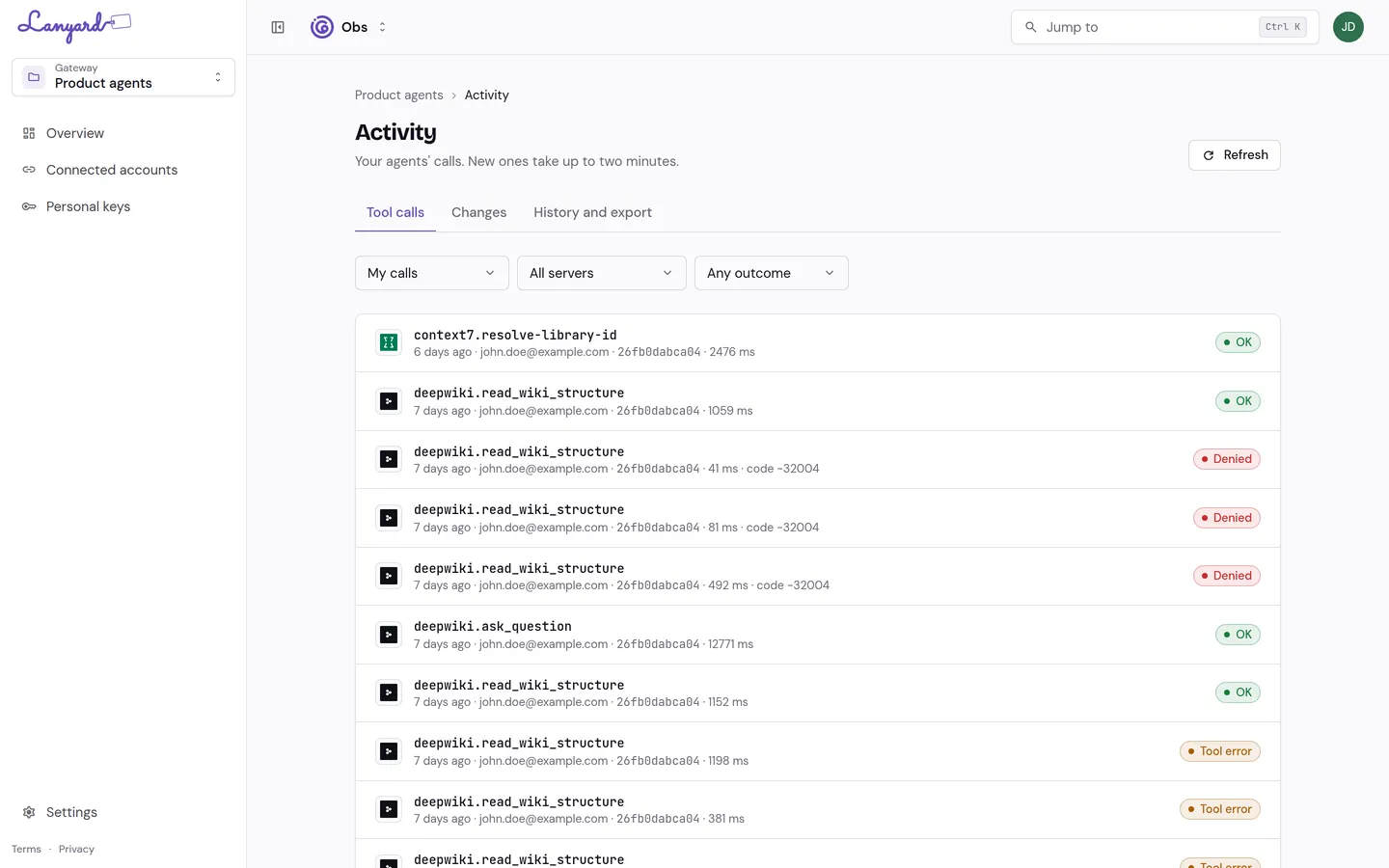
Activity on the gateway records the call, the outcome, the caller, and the key. A denied call stays in that list next to the ones that succeeded. That is the page you open when something wrote when it should only have read.
Create a gateway, add a server, tick the read-only tools, connect your account, mint a key. Teammates repeat the last two steps on the same gateway with their own accounts.