The February article focused on context. Every MCP server ships a large set of tools, and the schema of every tool was provided to the model whether the task needed it or not. On-demand mode was the escape hatch (i.e., only two meta-tools were exposed before the agent activated a skill).
CAPA 2.2, released on September 17, sets a stricter version of that behaviour as the default.
Search, not the whole catalog
In CAPA 2.2, capa init writes the following option.
options:
  toolExposure: search
In this mode, the client is provided with search and call_tool. The agent first searches for a tool when it has a task and then invokes it. It does not receive the schema of every tool in the project in advance. Skill requires lists (which matter in expose-all and on-demand) are ignored here, and the console hides them so that they do not appear to be active.
The project switch is shown below.
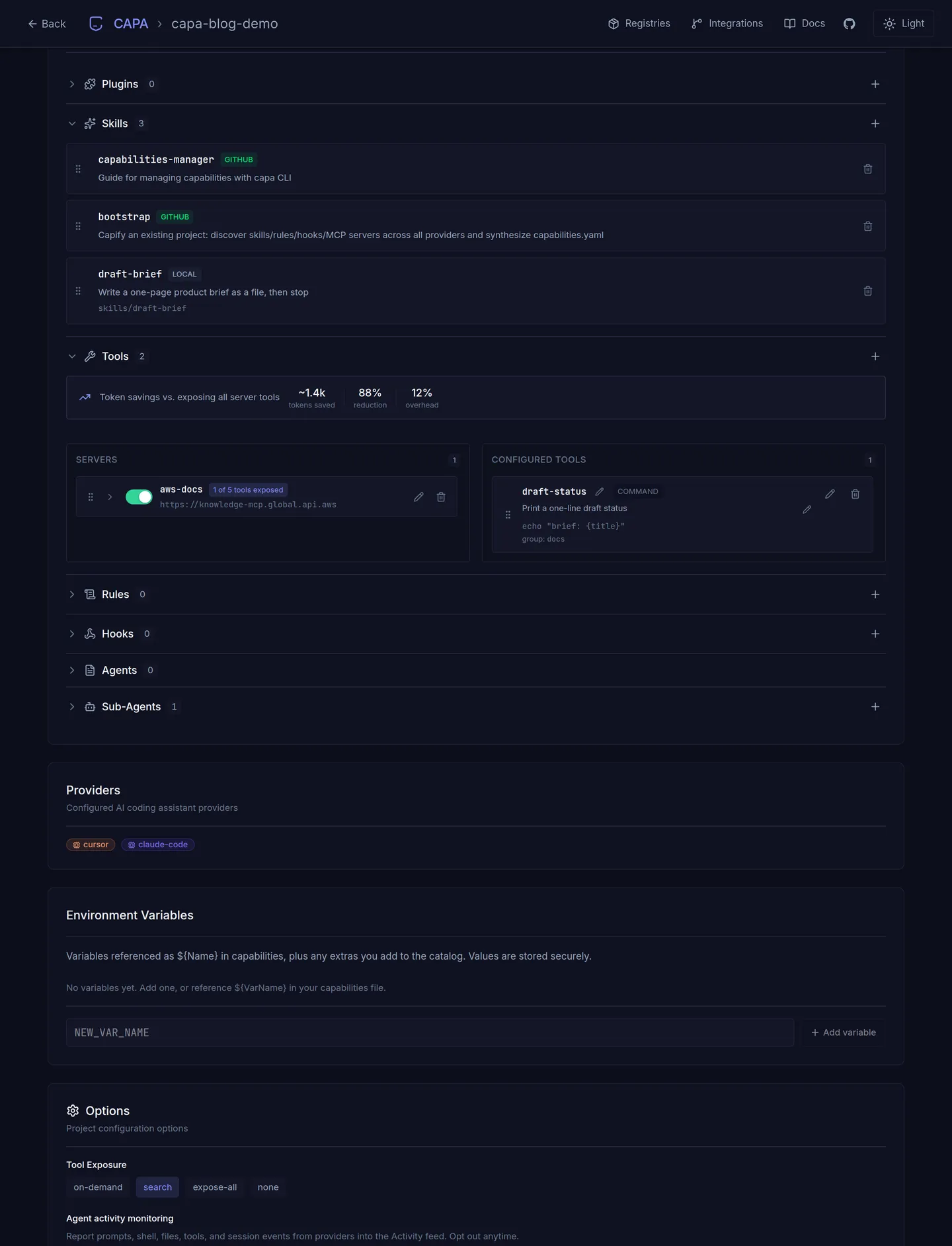
Expose-all remains available when the catalog is small and the model should receive every tool. On-demand also remains available when skill activation should load schemas. In addition, none results in an empty MCP list, and capa sh remains the means of executing tools. However, search is the mode we use on a new repository.
CAPA measured 19–40% lower inference cost at the same quality when tools load on demand instead of in advance (150 trials on claude-opus-4-8). The number is described in the CAPA README. Search is the newer default and addresses the same cost.
Hide tools on the server, not only in the prompt
Additionally, exposure can be configured for each server. The expose value of a server is all, except, exactly, or none. When a tools list is first added, that server switches to a curated set, and the console asks for confirmation, since every tool that was not named becomes hidden.
The public AWS documentation server has more tools than this example requires, so the file allows only one.
servers:
  - id: aws-docs
    type: mcp
    expose: exactly
    tools:
      - aws___search_documentation
    def:
      url: https://knowledge-mcp.global.api.aws
    description: AWS documentation
The console shows the number of tools and labels each tool as exposed or hidden.
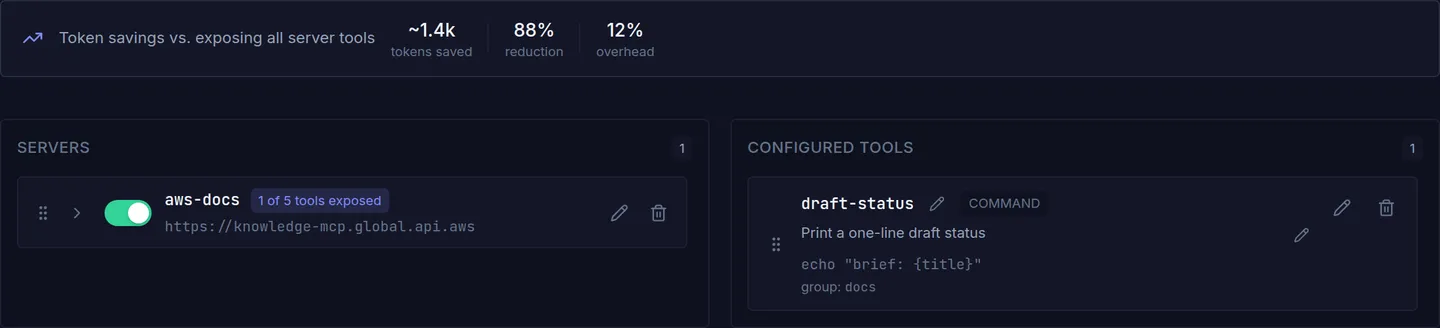
This mechanism differs from search mode. Search decides how schemas are presented, whereas expose: exactly decides which tools exist for this project at all. That is, the agent cannot reach a hidden tool through search.
Sub-agents also receive their own list (as described in the April article). A research agent does not inherit the curated server simply because the project has it. Rather, the tools are named on the sub-agent itself.
What I run on a new repo
capa init
capa install
Search is already set. We then add servers with expose: exactly and the few tools that the work requires, and we reserve expose-all for a server whose entire surface is required. Finally, when the agent first calls an unexpected tool, we inspect an activity run (described in the August article).
The February problem was a tool list that the model was required to carry. The default is now a list that the model must request.
Search mode and per-server exposure shipped in CAPA 2.2.0. Upgrade with capa upgrade.