March and April were still mostly a CLI. In the second week of May that changed three times: a React console (1.6, May 9), registries (1.7, May 14), and plugins (1.8, May 16). They shipped as three features. In hindsight they are one problem: almost everything you give an agent is code someone else wrote, and until May the file did not really say so.
The problem
Skills were the easy case. A skill is markdown, and the February post was about not copying that markdown into every repo. But the moment you want a catalog to search instead of an owner/repo you already know, you need something that fetches and parses that catalog, and that something is a program. Plugins are worse: a plugin can ship MCP servers, hooks, and sub-agents, which is to say things that execute on your machine and talk to your accounts.
So the question for May was not “how do I install more.” It was: when I install more, what runs, and did I get to look at it first?
The console writes the file. The file is still the truth.
capa install and capa start serve a local UI at http://127.0.0.1:5912. It exists because some tasks are bad in a terminal: entering a dozen secrets, reading which of a server’s 30 tools are actually exposed, or scrolling a catalog. It is not a second source of configuration.
The project view for a small demo, with tool exposure set to search (more on that in September) and the skills CAPA installed:
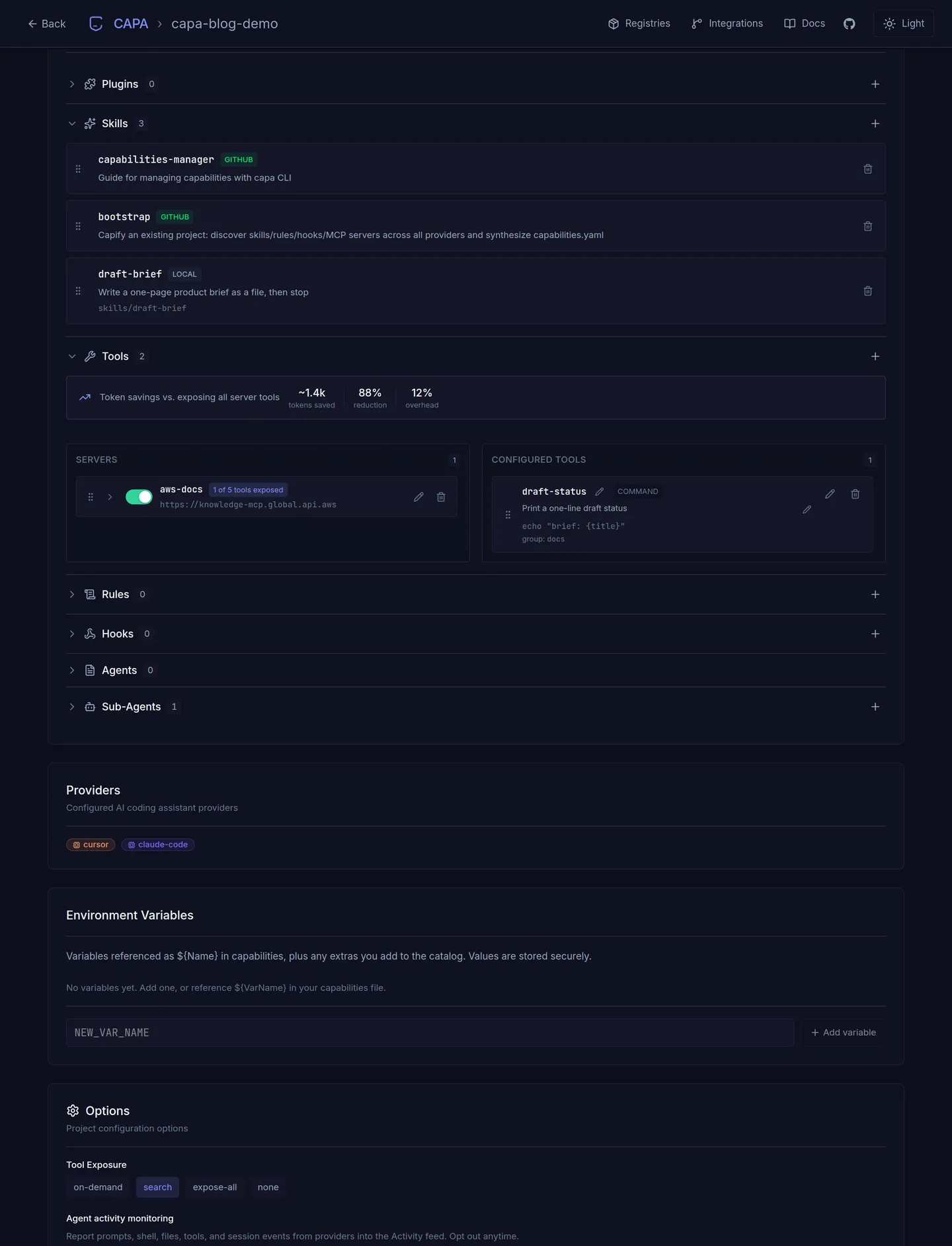
The one thing the console does not persist is worth knowing. Each server card has an on/off toggle. That lives in the running server only, and capa install turns every declared server back on. The rule is that anything you want to survive a reinstall has to be in capabilities.yaml, so the console writes it there, and after a change to servers or exposure you run capa install again so the clients pick it up. The file in git is what a teammate gets. The console is how you edit it without hand-editing YAML.
A registry adapter is a program, so it is staged
CAPA ships with three registries: skills.sh, the Claude plugin catalog, and the Cursor marketplace. You search them from the CLI or the console:
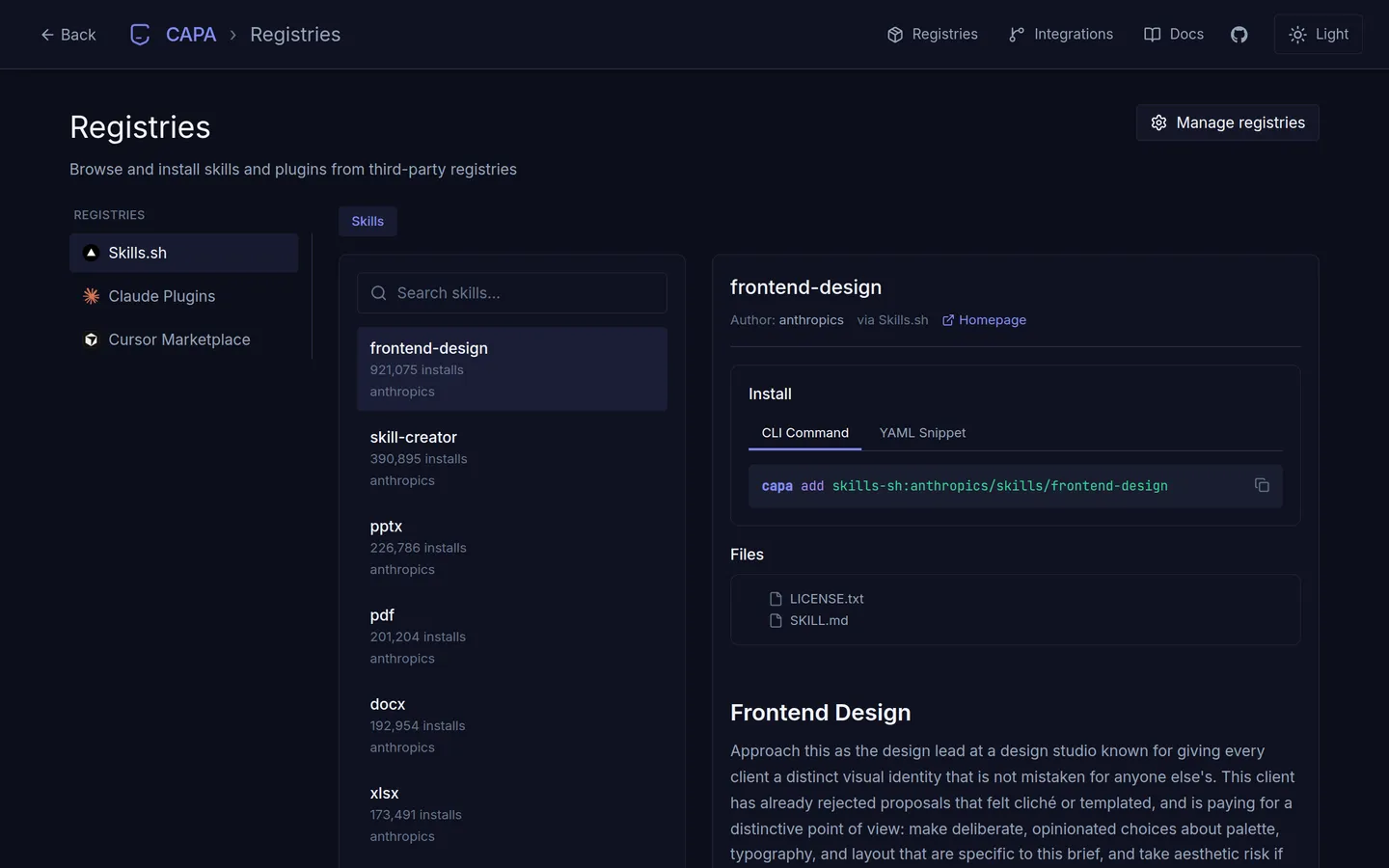
capa registry list
capa registry search skills-sh "git"
capa add skills-sh:vercel-labs/skills/find-skills
capa add owner/repo@skill-name still works when you already know the source. The registry is for when you do not.
Here is the part that matters. A registry is an adapter: a single TypeScript file with a manifest, a search, and a view. It runs inside the CAPA server process. There is no sandbox around it, which means adding a registry is adding code that runs with your permissions every time you search. CAPA does not pretend otherwise. capa registry add fetches the adapter, prints its SHA-256 and a preview of the source, and stops. Nothing executes until you confirm, or until you run capa registry approve <slug> after reading it. Every later load re-checks the file against the recorded hash.
The three defaults are handled differently again: their adapters are bundled in the binary and pinned. CAPA never downloads them, not on first start, not on refresh, and a copy on disk that does not match the pin is refused. A Claude marketplace is the one kind of registry with no adapter at all. It is a JSON catalog, so pointing at one runs nothing.
I would rather explain that once here than have someone discover it by reading the --yes flag in a CI log.
A plugin unpacks into the file. It does not become a folder.
A plugin is a remote package: skills, and often MCP servers, hooks, rules, and sub-agents, from one repository. 1.8 is when that install path became something I would point a teammate at:
plugins:
  - id: office-kit
    type: github
    def:
      repo: Minitour/office-kit
The design choice is what CAPA does with the manifest. It does not drop an opaque plugin directory into each client’s config. It unpacks the pieces into the same model as everything else in the file, so a plugin’s hook goes through the same install step as a hook you declared, and a plugin’s sub-agent gets the same provider targeting. In the console, plugin-owned rows show up locked, so a casual edit does not fork someone else’s package.
Two consequences follow, and both are deliberate. Unpacking is not exposing: installing a plugin does not turn on every tool it contains. You still name the tools under tools, and activate its skills with type: plugin. And if a plugin’s server id collides with one of yours, you remap it (servers: { slack-server: { as: slack } }) instead of losing one.
OfficeKit is not an Infragate product. I wrote it to produce branded documents, decks, and video. It is also the plugin I reach for when an agent needs to leave a file behind, which is the next post.
What May was for
The CLI was enough to configure an agent. It was a poor place to browse a catalog, click a server, or see what a plugin had unpacked. The console is that place. But the thing I actually wanted out of the month was a file I could read and say: this is everything that runs, this is where each piece came from, and nothing in it ran before I saw it.
1.6, 1.7, and 1.8 shipped between May 9 and May 16. The console screenshots are from 2.2.4. The adapter contract, if you want to write one, is in the registry docs.